Best Monitors for Home Office in Malaysia (2026)
For a comfortable home office in Malaysia, focus on an IPS panel, the right size for your desk, and the ports you actually have. Here are reliable monitor picks you can find on Lazada and Shopee, plus how to buy safely.

We may earn a commission when you buy through links on this site, at no extra cost to you. Prices and stock are set by the sellers and change often; always check the final price on the marketplace.
Our picks at a glance
- 1 Best overall Dell SE2722H Details ↓
- 2 Best for crisp text and productivity ASUS VA24DQLB Details ↓
- 3 Best budget AOC 24B1H2 Details ↓
- 4 Best for business-style use Lenovo L24i-30 Details ↓
- 5 Best for high-resolution (work + media) LG 27UP650-W Details ↓
- 6 Best for eye comfort BenQ GW2480 Details ↓
Best overall
Dell SE2722H
A solid all-rounder for typical Malaysia home desks: 27-inch size feels productive without being too big for most setups. Reviewers note it’s comfortable for long reading sessions thanks to an IPS panel and a clean, practical feature set.
Pros
- IPS panel for better viewing angles
- 27-inch sweet spot for office work
- Common port selection for laptop and desktop use
Cons
- Limited gaming-first features compared to dedicated gaming models
- You may need the right cables depending on your laptop/PC ports
Best for crisp text and productivity
ASUS VA24DQLB
Good for people who mainly do spreadsheets, documents, and web work and want a sharper, modern monitor feel. Owners report the IPS-style clarity helps when you’re switching between apps and keeping long text readable.
Pros
- Good clarity for daily office workloads
- Comfortable size for most desks
- Easy to pair with common HDMI setups
Cons
- May be overkill if you only need basic single-window use
- Stand flexibility may not suit every ergonomic setup
Best budget
AOC 24B1H2
A practical choice if you want a reliable 24-inch office monitor without paying for extra features you won’t use. Reviewers note it’s a straightforward upgrade from laptop-only screens and works well for typical home office tasks.
Pros
- 24-inch size fits most Malaysian desks
- Simple setup for laptop and desktop
- Known for consistent everyday performance
Cons
- Not aimed at gamers or colour-critical work
- Speakers are usually basic (if included at all)
Best for business-style use
Lenovo L24i-30
For buyers who prefer a straightforward, office-focused monitor with dependable day-to-day behaviour. Owners report it’s a good match for Microsoft Office, browsing, and video calls, and tends to be easy to live with for long periods.
Pros
- Office-focused design and usability
- Good choice for smaller rooms and desks
- Widely supported by common laptop ports
Cons
- More “work-first” than “spec-spectacular”
- You may want VESA accessories if you need full ergonomic positioning
Best for high-resolution (work + media)
LG 27UP650-W
If you do a mix of office work and media (reports, PDFs, design-lite tasks), a higher resolution helps keep text and UI sharp. Reviewers note it’s especially handy when you’re working with multiple windows and want more on-screen space.
Pros
- Higher resolution for sharper text and spreadsheets
- Great for split-screen productivity
- Popular model that’s commonly stocked by Malaysia sellers
Cons
- Expect to use DisplayPort or HDMI properly for best experience
- More demanding on your laptop’s graphics for some workloads
Best for eye comfort
BenQ GW2480
A strong pick if you often work late or in rooms with long screen time and you care about comfort features. Reviewers note its office-friendly approach, with settings aimed at reducing strain during reading-heavy tasks.
Pros
- Comfort-oriented picture modes for long sessions
- 24-inch size works well for many desks
- BenQ is well known for office monitor support
Cons
- Not a fast gaming monitor
- You’ll still want good lighting and screen placement to reduce eye strain
What to look for in a home office monitor (Malaysia edition)
Choosing a monitor is less about “bigger is better” and more about matching your work style, desk size, and laptop/PC ports. In Malaysia, most homes run on 240V (50Hz) mains with the standard UK-style 3-pin plug, so check the monitor’s power input (most are 100–240V capable, but still worth confirming).
1) Panel type: aim for IPS for office work
For home office use, IPS panels are popular because they keep text and colours consistent even when you’re not sitting dead-centre. If you read documents, browse spreadsheets, and watch training videos, IPS tends to feel more comfortable over long hours.
2) Screen size and desk fit
- 23–24 inches: best for smaller rooms, tighter desk depths, and single-window work.
- 27 inches: a very common sweet spot for productivity without needing a huge desk.
- 27-inch higher-resolution: helpful if you do lots of reading, multiple windows, or detailed PDFs.
For example, Dell SE2722H and LG 27UP650-W are suited to desks where you can keep good posture without sitting too close.
3) Resolution: pick what your work benefits from
1080p is still fine for everyday office tasks at 24 inches. If you’re going 27 inches and you want sharper text, higher-resolution options can make a noticeable difference, especially for spreadsheet columns and small fonts.
4) Ports you actually have (HDMI vs DisplayPort)
Most laptops in Malaysia connect easily via HDMI. If you have a desktop or want the cleanest signal for higher resolution, check whether you’ll use DisplayPort. When shopping on Lazada or Shopee, read the “ports” section carefully—some listings show the monitor without the cable in the box.
5) Ergonomics: stand adjustments or VESA mount
If your neck and shoulders get tired, don’t ignore ergonomics. Look for:
- height adjustment (preferred),
- swivel/tilt range, or
- VESA mounting support.
If the stand is basic, consider adding an aftermarket arm—just make sure the monitor supports standard VESA.
6) Refresh rate and responsiveness (usually not a deal-breaker)
For office work, you don’t need extreme refresh rates. Refresh rate matters more for competitive gaming. Even then, buyers commonly choose models like AOC 24B1H2 or BenQ GW2480 for normal work, not esports.
Where to buy safely on Lazada and Shopee (and avoid fakes)
Malaysia shoppers often find the same monitor across many listings, including unofficial resellers. For peace of mind:
- Prefer Lazada Mall and Shopee Mall listings.
- Check the seller’s profile for an authorised-looking store and clear warranty handling.
- Read the listing photos for exact model numbers—some sellers use similar product photos for different variants.
Warranty and service matters more than you think
Monitors are usually reliable, but if you get stuck with a faulty unit (dead pixels, power issues), warranty support is what matters.
- Look for a clear warranty period and who handles it.
- If the listing mentions local service or a brand-authorised service route, that’s a good sign.
Cash on Delivery (COD) is useful—use it smartly
On both platforms, COD is common. When you choose COD:
- video the unboxing,
- check for the exact model name/number,
- confirm accessories (power cable, stand pieces), and
- test the monitor before fully settling in.
When to buy in 2026: sales that usually make sense
For monitors, major promos can lower effective costs and improve bundle availability (sometimes cables are included, sometimes there are better accessory deals). Common Malaysia shopping peaks include:
- 9.9: good for electronics deals and bundle offers.
- 10.10 (10 October): often one of the better windows for mid-range monitors.
- 11.11: strong for premium stock and higher-resolution models.
- 12.12: useful for late-year restocks and clearances.
Also watch for payday sales (often around month-start or mid-month) if you’re budgeting tightly.
Picking the right monitor from this list
Best overall for most home offices: Dell SE2722H
If you want a dependable, comfortable daily driver for documents, browsing, and video calls, Dell SE2722H is a safe choice. It’s the kind of monitor that fits both newer laptop setups and straightforward desktop desks.
Best budget: AOC 24B1H2
If your priority is a sensible upgrade from a laptop screen, AOC 24B1H2 is a good “set it up and work” monitor. It’s usually easier on the budget and fits smaller desks in Malaysian homes.
Best for crisp productivity: ASUS VA24DQLB
If you want a more modern productivity feel and you do lots of reading and spreadsheets, ASUS VA24DQLB is chosen by many reviewers for everyday clarity. It’s also a good match for people who don’t want to go all-in on premium specs.
Business-style alternative: Lenovo L24i-30
If you prefer a clean, work-first monitor experience, Lenovo L24i-30 suits typical office tasks and tends to be straightforward to integrate with common HDMI setups.
Best for high-resolution work and media: LG 27UP650-W
If your work includes detailed documents and you also watch content, LG 27UP650-W is a strong option. Higher resolution helps keep text and UI comfortable across split-screen work.
Best for eye comfort routines: BenQ GW2480
For late-night work habits or long reading sessions, BenQ GW2480 is known for office-friendly comfort features. Still, reviewers consistently remind buyers that good lighting and correct monitor height do most of the heavy lifting.
Quick checklist before you press “Buy”
- Exact model number matches your listing photos
- IPS panel (if office comfort is your priority)
- Resolution fits your chosen size
- Ports match your laptop/desktop (HDMI/DisplayPort)
- VESA support if you plan to use an arm
- Buy from LazMall/Shopee Mall or a trusted, warranty-backed seller
- Warranty terms are clear, and COD/unboxing is planned
Final thoughts
A good home office monitor in Malaysia is the one that fits your desk, your ports, and your working hours. Start with the picks above—then double-check resolution, panel type, and warranty handling on the exact Lazada or Shopee listing you’re about to order.
Questions people ask
What size monitor is best for a typical Malaysian home office desk?
Do I need DisplayPort, or is HDMI enough?
How can I avoid buying the wrong monitor variant on Lazada or Shopee?
Is warranty support a big deal for monitors?
More from Malaysia
Malaysia → Malaysia
Best Storage Boxes in Malaysia (2026)
Storage boxes in Malaysia need lids that cope with humidity and dust, plus the right size for kitchens, bedrooms, and wet areas. Here are reliable options you can find on Lazada and Shopee, with buying tips for 2026.
 Malaysia
Best Vitamin C Supplements in Malaysia (2026)
Vitamin C is popular in Malaysia, especially with our humid weather and respiratory-season spikes. This guide focuses on vitamin C supplements that are generally sold via official brand stores on Lazada and Shopee, with practical buying checks for MOH registration and authenticity.
 Malaysia
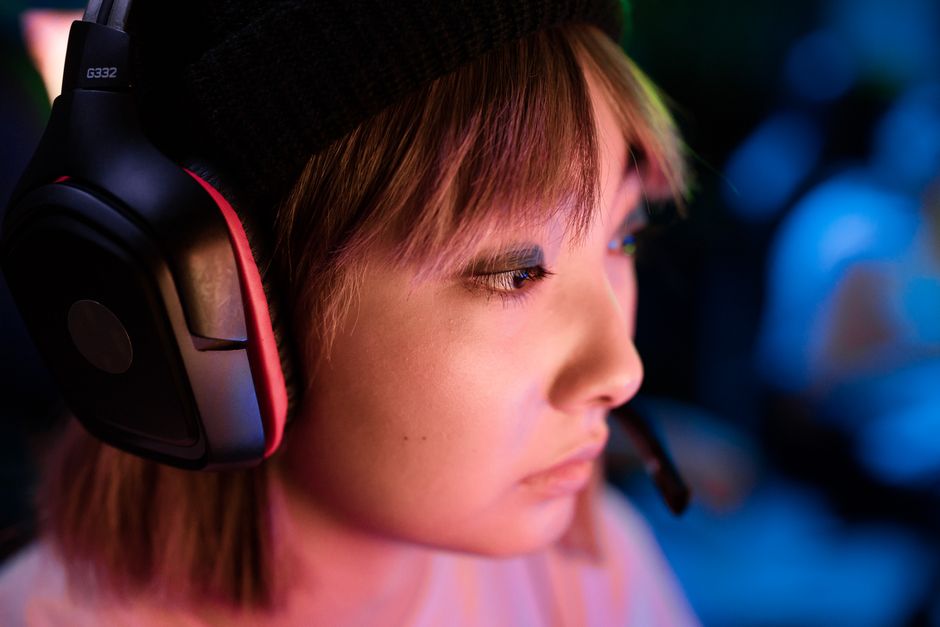
Best Gaming Headsets in Malaysia (2026)
From sweaty LAN nights to late-night mobile gaming, the best headset in Malaysia comes down to comfort, mic quality, and the right connection type. Here are strong picks you’ll find on Lazada and Shopee, plus what to verify for warranty and fakes.